Wake up to the smell of warm leads.
Ultra works your new leads while you sleep. Follow-ups: drafted. Calls: booked on your own booking page. Proposals: drafted and waiting for you. Every email the AI writes waits for your approval.
Ultra is invite-only for now. Book a demo to get started. Priced per seat, per month.
Your week, by hand vs with Ultra
Illustrative estimateBased on 5 leads a week. We compared doing each step by hand (research, writing, consent checks, logging, follow-ups, booking, a proposal draft) with the time you spend approving Ultra's drafts.
At 5 leads a week: about 7.3 hours by hand, 0.5 hours with Ultra, about 6.8 hours back.
by hand = leads × 75.5 min + proposals × 60 min
with Ultra = leads × 2.75 min + proposals × 15 min
proposals = 1 a week (assumed)
See every assumption
| Step, by hand | Min |
|---|---|
| Triage and qualify an inbound lead | 3 |
| Research the business | 10 |
| Read the history before each touch (3 × 3) | 9 |
| Write each follow-up email (10 × 3) | 30 |
| Check consent before each send (1 × 3) | 3 |
| Add the legal footer and unsubscribe (0.5 × 3) | 1.5 |
| Log each send in the CRM (2 × 3) | 6 |
| Watch for replies and remember follow-up dates | 5 |
| Read and classify a reply, update the stage | 3 |
| Book the call (booking link already exists) | 5 |
| Per lead, to booked call | 75.5 |
| Draft the proposal (only leads that reach one) | 60 |
| Your time, with Ultra | Min |
|---|---|
| Approve 3 drafts (45 s each: a 30 s read and an occasional edit) | 2.25 |
| Glance at the reply classification | 0.5 |
| Booking (the link is in the draft) | 0 |
| Per lead | 2.75 |
| Review and edit the proposal draft | 15 |
Three touches per lead match the starter follow-up playbook: an intro, two follow-ups, then a decision by a person. The sales call itself is left out on both sides. Sourced leads are not counted here. This is an estimate for a 2 to 20 person team and has not been measured.
A tailored draft waiting for your approval soon after a lead arrives.
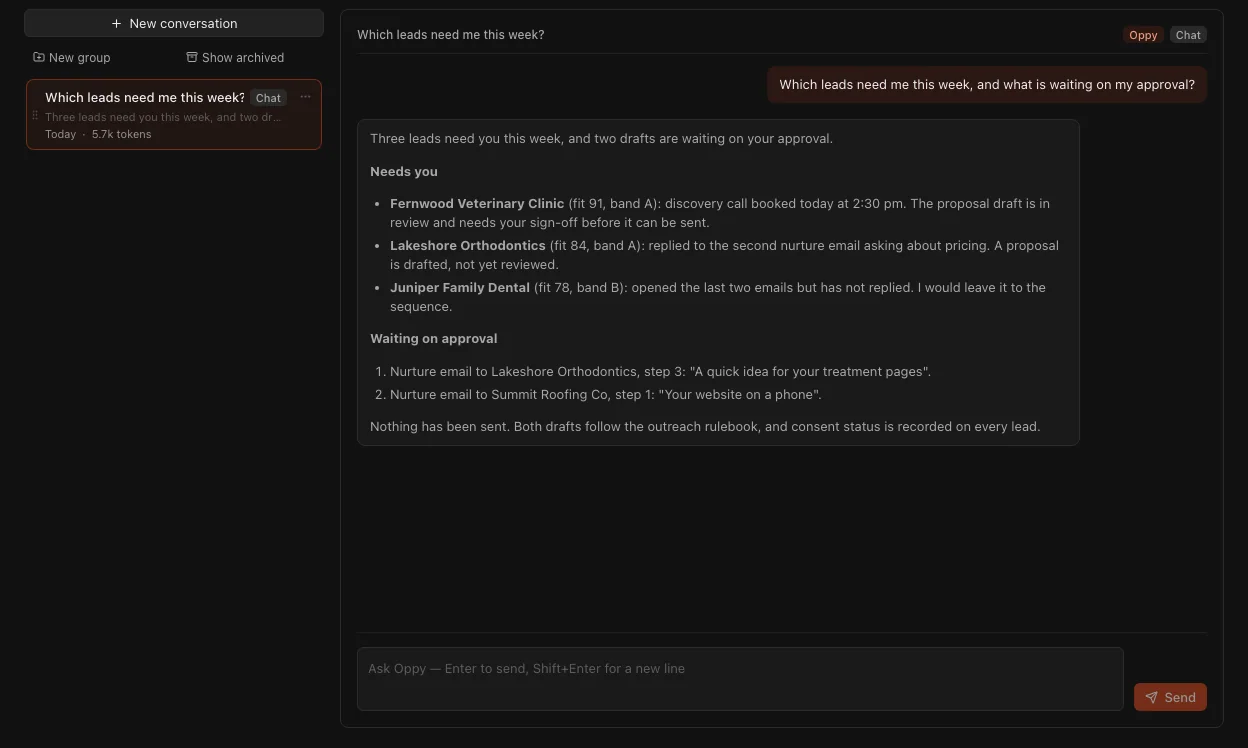
Ask Oppy, and start the day from the answer.
Oppy is Ultra's AI operations assistant. Ask it about your tasks, calendar and docs (and, on Grow and Professional, your tickets), and have it plan your day. With an agent add-on, owners can also ask about playbooks, and members about their own approvals and agent runs.
Coming soon for your workspace: Oppy reading your leads, and your whole team's approvals and agent runs. The answer shown is from our own account.
Your lead tool stops at the booked meeting. Your project tool starts after the contract.
The weeks in between live in your inbox and your head. Follow-ups slip, the proposal waits for a free evening, and nobody logs the hours until the invoice is late. Ultra follows each client from first contact to final invoice.
From first email to final invoice.
Seven steps, one system. Agents do the work between them, and you sign off on what matters.
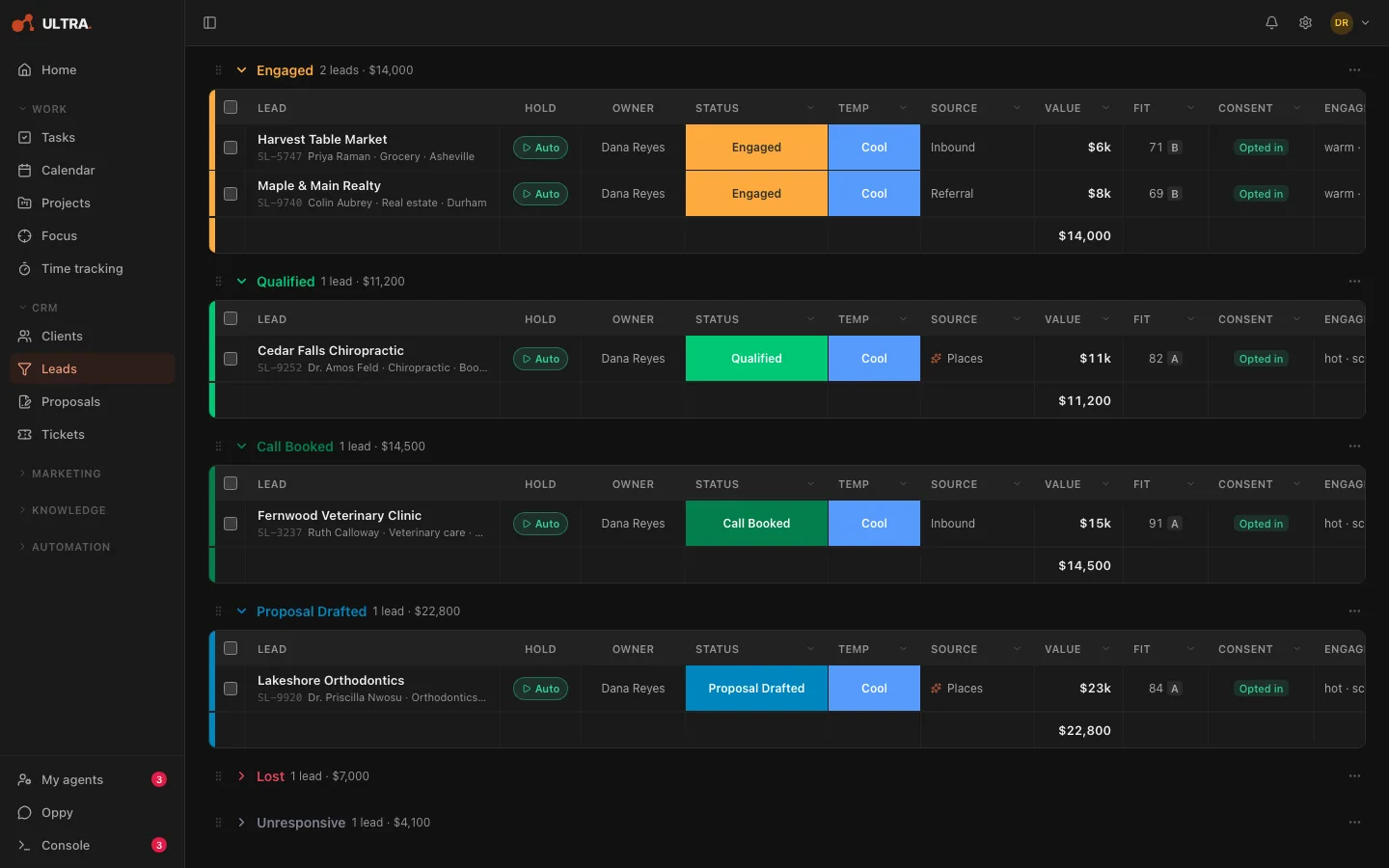
Source
Your leads gather in one workspace, grouped by stage, each with its consent status, so you start the day knowing who is where.
Coming soon: the Lead sourcing agent. The Places source and the fit scores in this screenshot are its output.
leads.stage · consent_status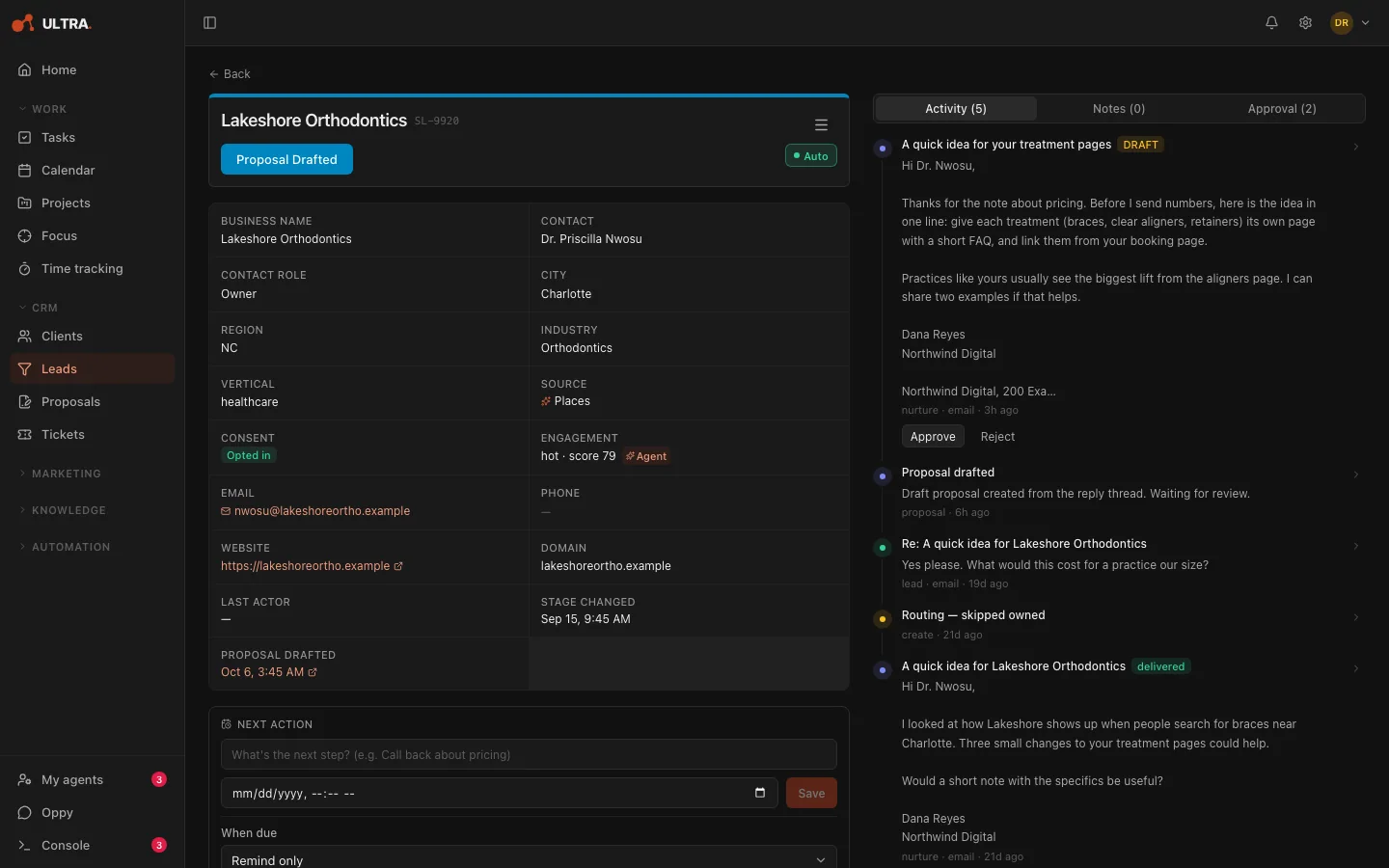
Nurture
Follow-ups are drafted for each lead, checked against their consent, and wait for your approval before they send. Replies are read and sorted for you.
email.send:nurture → queue_for_review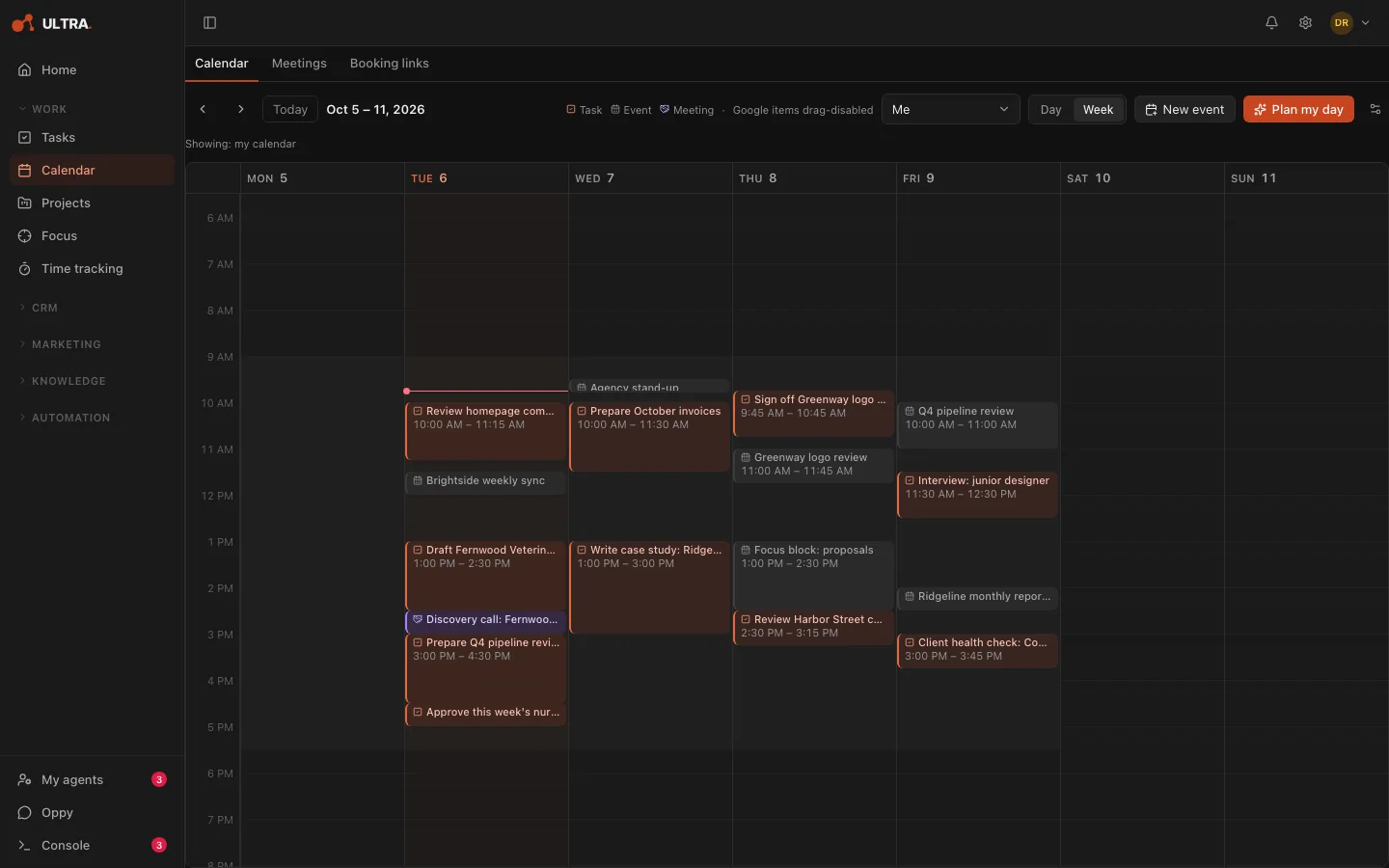
Book
Prospects pick a time on your booking page, it lands on your Google Calendar, and they get a confirmation right away.
/book/:slug · two-way Google Calendar sync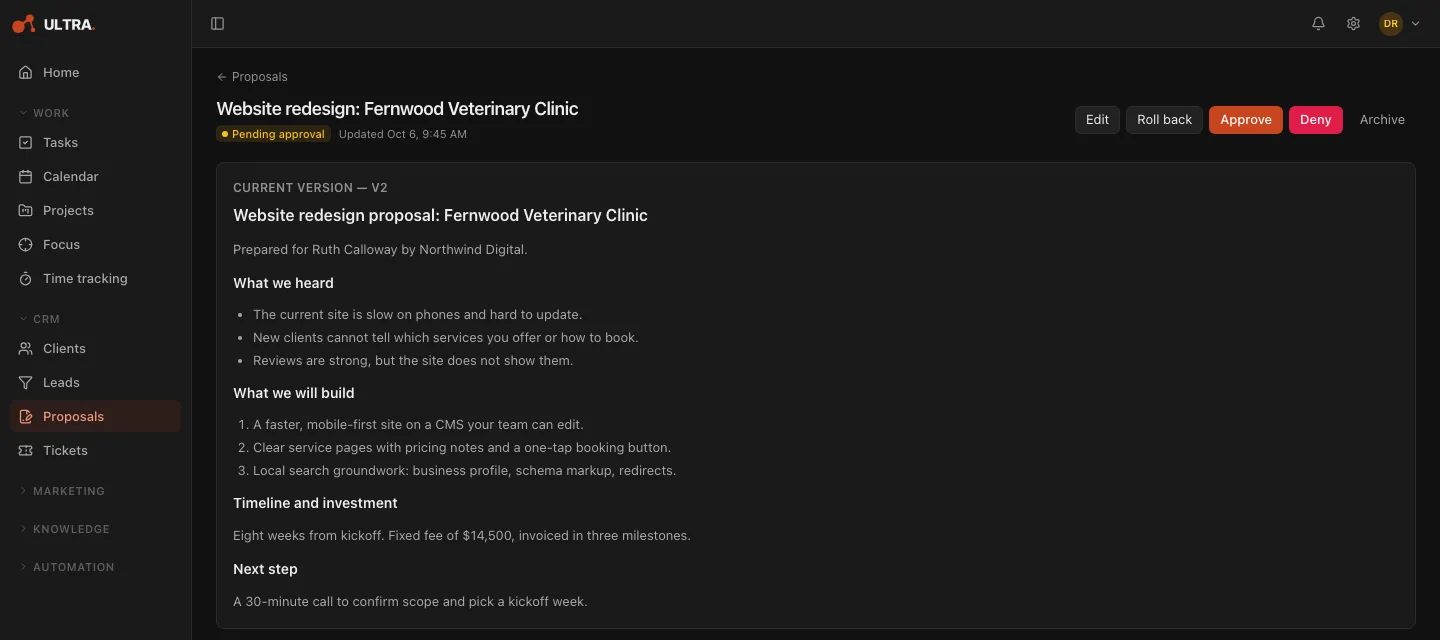
Propose
Once a lead is qualified or has a call booked, the proposal agent drafts the proposal. You edit it and send it yourself.
proposal.draft · auto · drafting only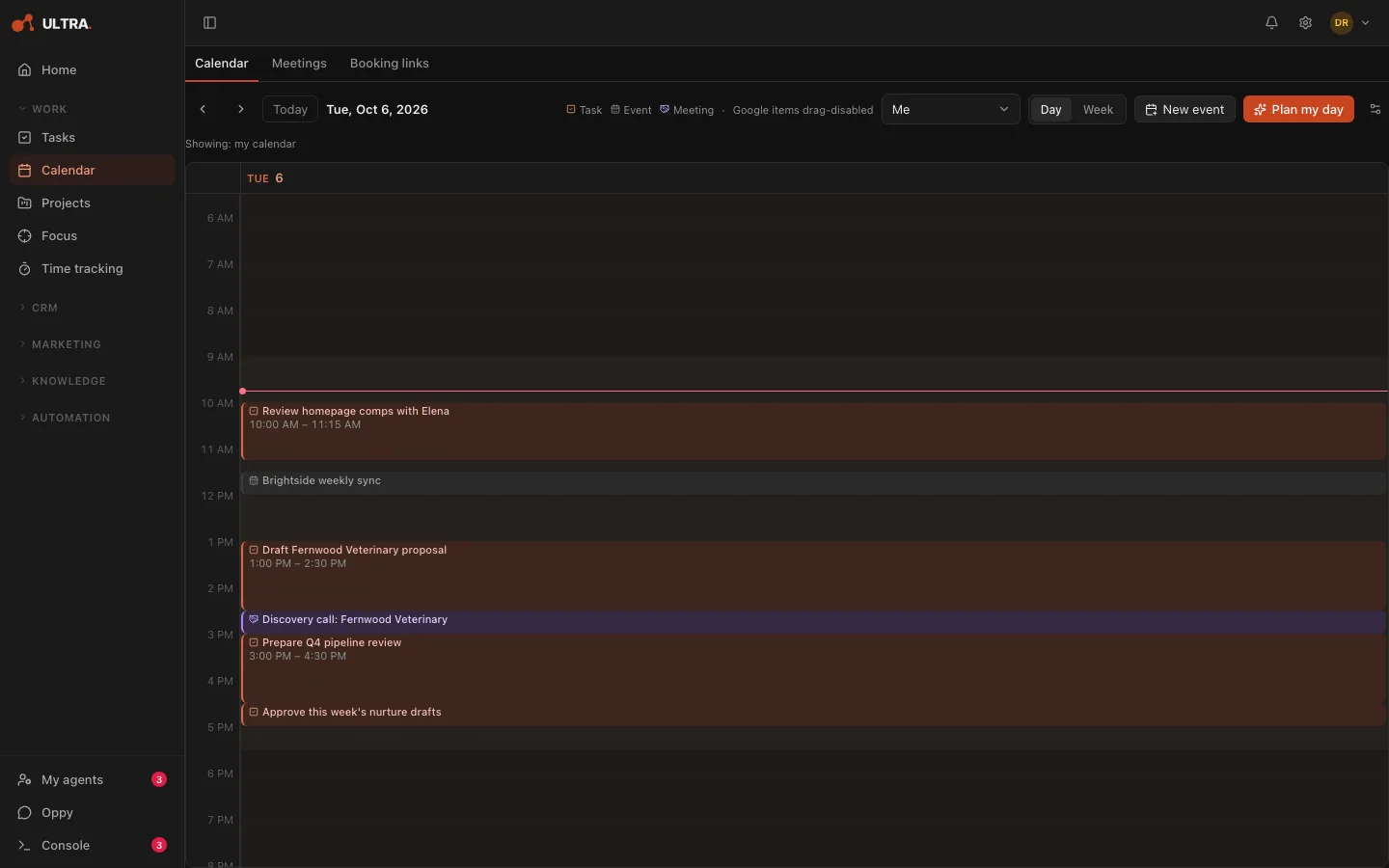
Schedule
Tasks place themselves in the free time on your calendar, and unfinished work rolls forward overnight.
scheduler · carry-over at end of day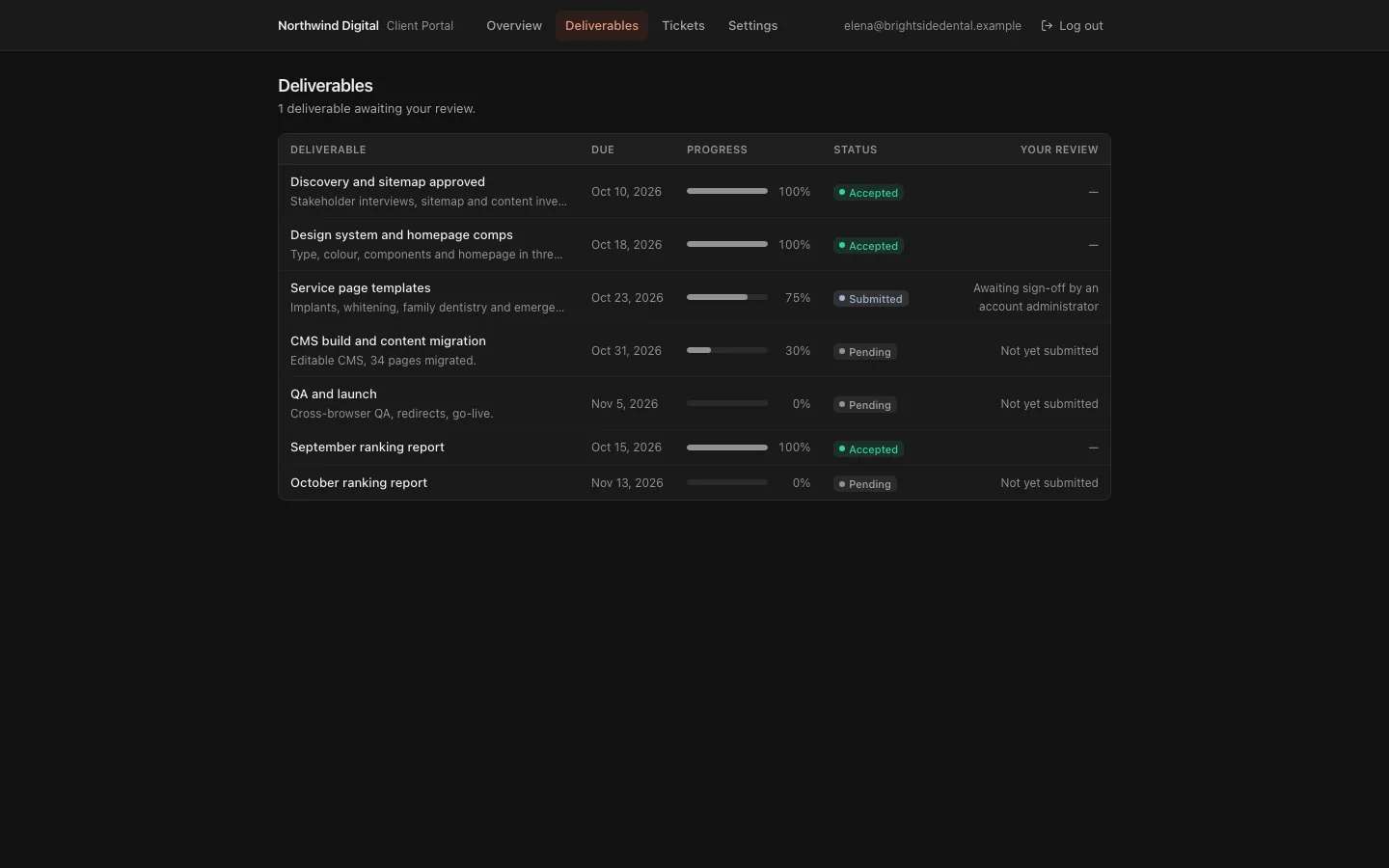
Deliver
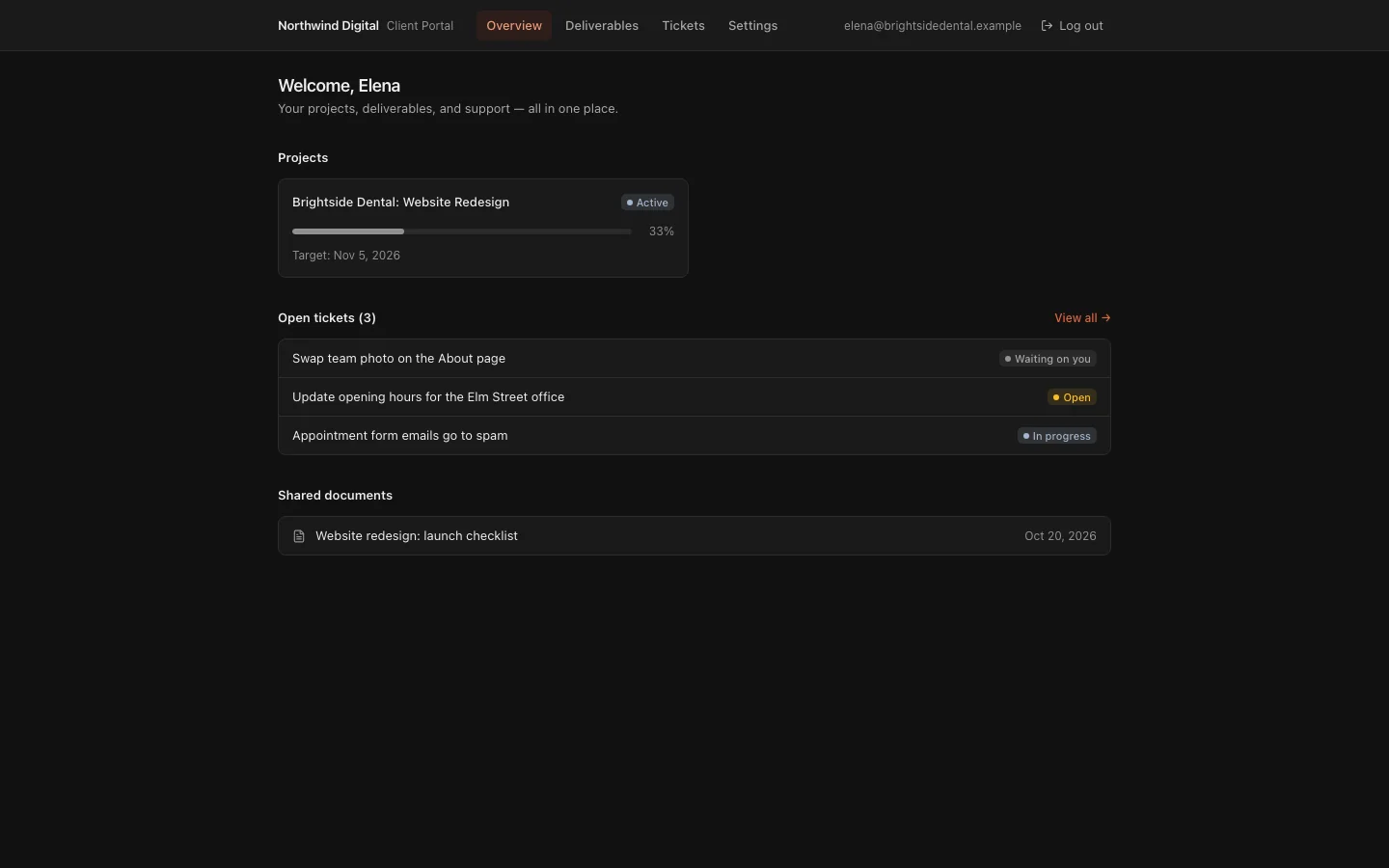
Projects with a Gantt view, shared docs, and a portal where your client sees tickets and deliverables.
projects · gantt · MSAs and SOWs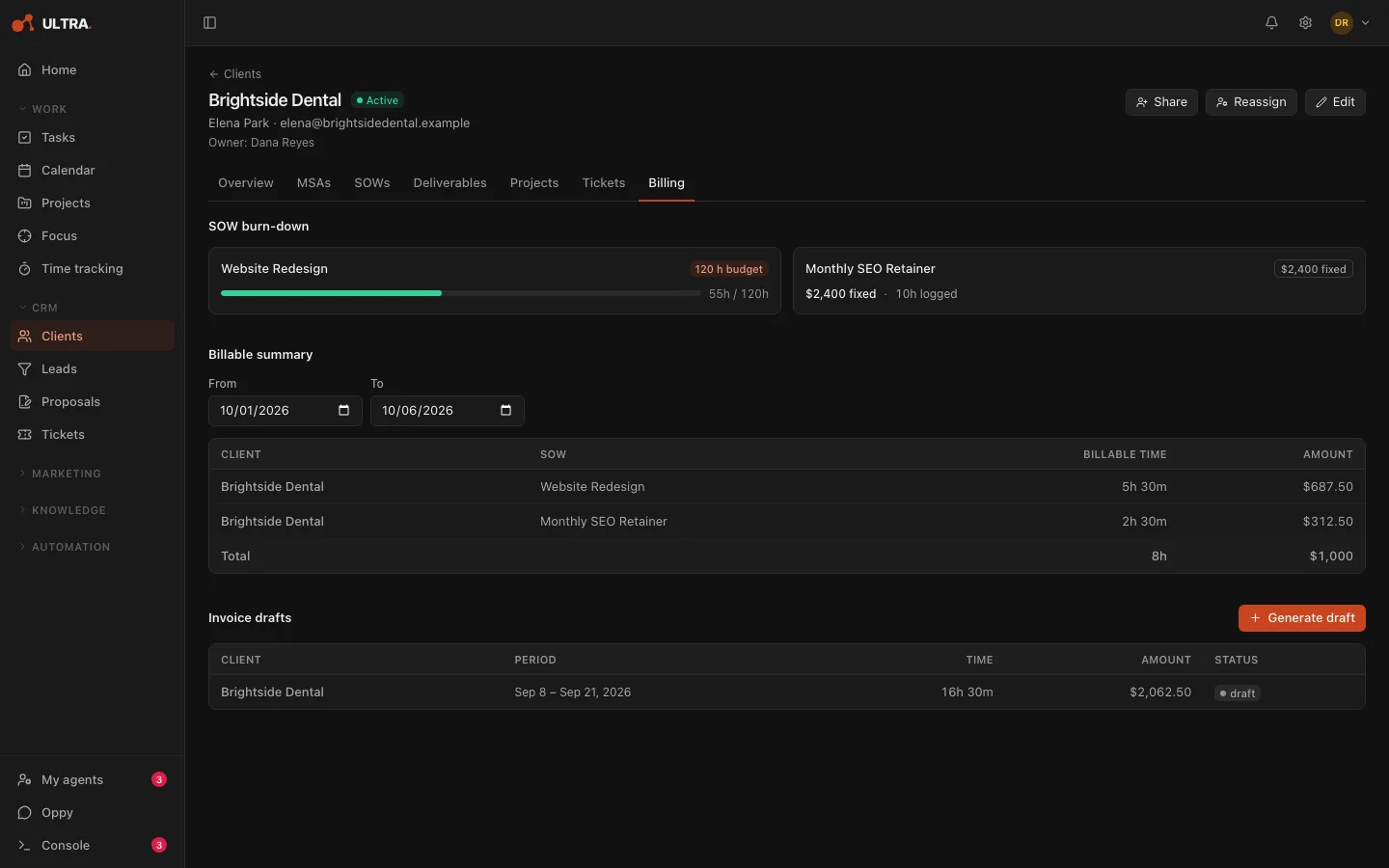
Bill
Log time against the statement of work, watch the burn-down, and turn billable hours into a draft invoice.
Ultra drafts invoices. Payments are handled in your own billing tool.
sows/:id/burndown · invoice draftsYou approve. Agents act.
Ultra's agents do the legwork. You keep the decisions. Here is how that holds up in practice.
| Action | Risk | Verdict | Note |
|---|---|---|---|
| email.send:transactional | low | auto | Fixed templates, like a booking confirmation |
| email.send:nurture | medium | queue_for_reviewthis action | A person approves each one |
| email.send:reply | medium | queue_for_review | A person approves each one |
| email.send:cold | blocked | forbidden | Never queued, never sent |
| proposal.draft | low | auto | Drafting only; sending is separate |
| social.linkedin.post | blocked | forbidden | Never queued, never posted |
| email.send:* | medium | queue_for_review | Safety net |
| anything not listed | high | queue_for_review | Needs two approvals before it runs |
Every lead carries a consent status, and anyone who unsubscribes or opts out stops getting email.
Each kind of action has a rule that says whether it runs, waits for review, or is blocked outright. Automated cold email is blocked outright.
leads.consent_status = 'opted_in' · consent_source = 'northwind.example form'
The approvals queue
Every email Ultra's AI writes waits here for your decision before it can send.
Legal footer and unsubscribe
Every email Ultra's agents send carries your postal address and a one-click unsubscribe, and sends are held until that footer is set up.
The audit ledger
Approvals and changes to agent settings are recorded with who made them and when.
Switch agents off anytime
Turn any agent off in one click, and it stops before its next run. Your team can pause their own agents too.
You decide what runs.
Your work places itself on the calendar.
Ultra fits your tasks into the open time around your meetings and syncs your Google Calendar events both ways. Anything you didn't finish today rolls forward overnight, so tomorrow's plan is already there when you sit down.
Your client sees progress without a status email.
Clients sign in to their own portal to raise tickets, check deliverables and read the docs you share with them. They see where things stand, and you skip the weekly update.
We run Skylab on Ultra.
Skylab Innovations finds its leads, takes its bookings and runs its projects on Ultra. We built it for our own business first, and we still use it every day.
What we shipped recently.
- An email that may already have gone out is never sent twice. If a send was cut off, you say whether it went out, and nothing sends until you act.
- The calendar has a Month view, and each task shows whether it is not started, started or done.
- Starting a timer on a task marks it In progress, and stopping the timer asks whether to mark it done.
- A failed hand-off to a teammate now shows on the lead's timeline and alerts the owner.
See 9 more
- Playbooks can chain, so finishing one starts the next.
- Playbook steps can send the owner a note written by the step's author.
- Lead magnets became managed content: brief and build a guide or checklist as a PDF from one place.
- Email drafting inside playbooks. You review the draft at a checkpoint, and nothing sends until you approve.
- Playbook steps can assign a lead, add notes, and wait between steps.
- Event-driven playbooks went live on our own account: a booking created its own follow-up task.
- Human checkpoints in playbooks, so a person signs off before a step continues.
- Scheduled follow-ups now run on their due date: start a playbook, draft an email for approval, or create a task.
- Support tickets are triaged on arrival, and the assistant can work the ticket queue.
On the way.
Guided onboarding for new teams.
Guided agent setup is already live.Lead sourcing agent.
Content agent.
AI employees.
Oppy reading your leads, and your whole team's approvals and agent runs.
Capture forms you can embed on your own site.
Booking by conversation, straight from an email reply.
Your own branding on the client portal.
Custom reporting.
Public help docs.
Priced per seat, in three plans.
Agents are add-ons, priced per seat, so you pay only for the people who use one.
Per seat, per monthRequest early access
Tell us about your team and we'll be in touch.
Built for teams that follow up with people.
Sales and account teams that follow up with people, such as a distributor team working the leads its brand sends.
It also fits agencies and small service businesses that book calls, run client work and send invoices.
Questions we get asked.
Can we use our own AI key, and can we cap what it costs?
Yes, on the Professional plan you can connect your own Anthropic key. On every plan an owner can set monthly AI usage limits for each member, so it stays inside a budget you choose. Without your own key, your workspace uses Ultra's, with the AI usage included in your plan.
Where does our data live?
Your data is stored in the United States (US East, Ohio). The web app is delivered through Cloudflare's global network.
Does anything send without our approval?
Every email Ultra's AI writes waits for your approval. The only messages that go out on their own are fixed templates, such as a booking confirmation. Replies you type yourself send when you click Send.
Does it replace Monday.com, or work alongside it?
Ultra works alongside Monday.com. Bring your leads over by CSV import, which previews duplicates and keeps each lead's stage; there is no live sync yet.
Can we sign up today?
Not on your own yet. Ultra is invite-only while we bring on the first teams. Book a demo and we'll set you up, or request early access and we'll be in touch.
How is it priced?
Per seat, per month, in three plans, billed monthly or annually. Agents are add-ons, priced per seat.
What happens if an agent gets something wrong?
The emails it writes stop at your approvals queue, so you catch it before a lead does. If you need an agent to stop, switch it off in one click.
Can our own tools work with Ultra?
Yes, through Ultra's API. With an API token, your own tools can read your tasks, projects and tickets from the Grow plan, and make changes such as logging time on the Professional plan.
Wake up to warm leads tomorrow.
Early access is invite-only while we bring on the first teams. Tell us about your business and we'll be in touch.